 Mixing and Mastering AI
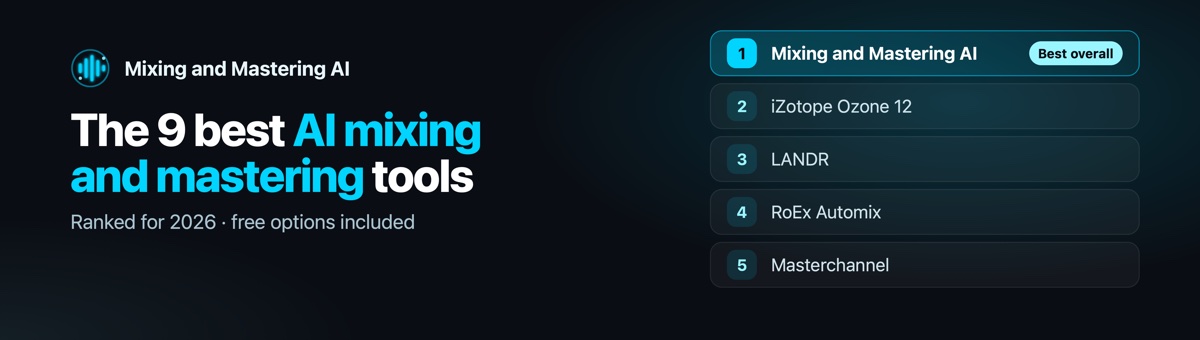
Five years ago, "AI mastering" meant one button, one loudness setting and a master that sounded like everyone else's. In 2026 the field is wider and better. Some tools only master. Some only mix. A few do both. Picking the wrong one costs you a release.
We run a human mixing and mastering studio, Audio Mixing Mastering, and we built our own engine on top of what our engineers do every day. So we know where these tools are genuinely good, and where a person still has to step in. This guide ranks the AI mixing and mastering tools worth your time, explains who each one suits, and shows you how to judge them on your own song instead of a vendor's demo.
Disclosure: Mixing and Mastering AI is our product, and we rank it first. We explain exactly why below. Every tool here has a free preview, a trial or a refund window, so you can check our ranking against your own track in an afternoon.
Key takeaways
- Best overall: Mixing and Mastering AI, because it mixes and masters a stereo bounce or full stems in one pass and shows every decision it made.
- Best mastering plugin: iZotope Ozone 12, for producers who want to finish inside their DAW.
- Best for stems only: RoEx Automix, up to 32 stems per mix.
- Best free option: BandLab Mastering, free WAV downloads with a handful of presets.
- No AI fixes a broken mix by mastering it louder. Fix the balance first, or use a tool that actually mixes.
Mixing vs mastering, in one minute
Mixing is balancing the parts of a song: levels, EQ, compression, panning, reverb and delay on every vocal, drum and instrument, until they sit together as one record. Mastering is the final pass on the finished stereo mix: tone, glue, stereo width, and loudness set for streaming, so the song translates on earbuds, cars and club systems.
Most "AI mixing and mastering" tools only do the second half. That matters, because mastering cannot repair a vocal buried under the beat or an 808 fighting the kick. If your mix has problems, you need a tool that mixes, or a person.
How we ranked these tools
We did not rank on marketing pages. We ranked on what each tool does with a real song, and what it asks of you:
- What it accepts: a stereo bounce, stems, or both.
- What it does: mixing, mastering, or both in one pass.
- Control: can you change the result, and do you understand why it sounds the way it does?
- Hear before you pay: a full-length preview beats a 30-second clip every time.
- Delivery: streaming-ready loudness, true peak control and lossless files.
Pricing changes often, so we describe how each tool charges rather than quoting numbers that will be wrong next month. Check the vendor's page before you buy.
The best AI mixing and mastering tools at a glance
| Tool | Mixes | Masters | Input | Free option | Best for |
|---|---|---|---|---|---|
| 1. Mixing and Mastering AI | Yes | Yes | Stereo or stems | 10 free minutes, full song | One-pass mix and master |
| 2. iZotope Ozone 12 | No | Yes | Plugin in your DAW | Trial | Hands-on control |
| 3. LANDR | No | Yes | Stereo | Free previews | Fast masters plus distribution |
| 4. RoEx Automix | Yes | Yes | Stems (up to 32) | Refund if unused | Multitrack sessions |
| 5. Masterchannel | No | Yes | Stereo | Refund window | Engineer-style profiles |
| 6. eMastered | No | Yes | Stereo | Free preview | Simple online mastering |
| 7. Waves Online Mastering | No | Yes | Stereo | Free preview | Waves users |
| 8. BandLab Mastering | No | Yes | Stereo | Free | Zero budget |
| 9. Matchering | No | Yes | Stereo plus a reference | Free, open source | Technical users |
The 9 best AI mixing and mastering tools in 2026
1. Mixing and Mastering AI: best overall
Most tools on this list take a finished stereo file and push it louder. Ours starts earlier. Upload a stereo bounce and the engine separates it into stems first. Upload your stems and it works on them directly. Then it does what an engineer would do in that order: balance, EQ, compression and space on each part, a mix bus, and a master hit to the loudness target you choose.
The part we are proudest of is the report. You see the loudness it hit, the true peak, what it did to the low end, how wide it made the record, and why. If you disagree, you move a control and render again. Tweaks to the same song never cost you a second time.
- Accepts: a stereo mix, or stems.
- Does: stem separation, mixing and mastering in one pass, plus 19 standalone audio tools.
- Hear first: the free plan renders your whole song, with a quiet spoken watermark, so you judge the full record, not a teaser.
- Pricing: 10 free minutes. Starter is $9.99 a month for 60 minutes of audio, about 15 songs. You can also pay for a single song, or buy tokens for the tools.
- Weak spot: it is a cloud engine, not a plugin, so it does not sit inside your DAW session.
See how the engine works or hear the same song raw, mixed and mastered.
2. iZotope Ozone 12: best mastering plugin
Ozone is the mastering suite many working engineers keep installed. Its Master Assistant listens to your mix and builds a starting chain of EQ, dynamics, imaging and a maximizer, which you can then adjust module by module. That is the strength and the catch: you get deep control, and you need the ears to use it.
- Best for: producers who finish inside their DAW and want to learn mastering.
- Watch out for: it masters only. It will not rebalance a mix.
- Pricing model: a paid plugin, sold in tiers.
3. LANDR: best for fast masters and distribution
LANDR made AI mastering mainstream, and it is still the quickest route from a bounce to a release. Upload, pick a style and intensity, preview, download. It sits inside a larger subscription that also covers distribution, samples and plugins, which is good value if you use those things and dead weight if you do not.
- Best for: artists releasing often who want mastering and distribution in one account.
- Watch out for: mastering only, with limited control over individual decisions.
- Pricing model: subscription, with free previews.
4. RoEx Automix: best for mixing from stems
RoEx is one of the few tools that genuinely mixes. You upload stems, up to 32 per project, and it balances and processes them into a mix, then masters it. It is a strong choice when you already have clean multitracks. It is less helpful when all you have is a stereo bounce.
- Best for: producers with organised stems who want a fast first mix.
- Watch out for: it needs stems; label them clearly and it does a far better job.
- Pricing model: a Pro subscription, refundable if you have not downloaded anything.
5. Masterchannel: best for engineer-style profiles
Masterchannel's angle is sound profiles modelled on working engineers, including a Wez Clarke profile on its Professional plan. If you like the idea of a recognisable character on your master, it is worth a listen.
- Best for: artists who want a specific tonal flavour.
- Watch out for: mastering only, and the profile you pick does a lot of the work.
- Pricing model: subscription plans, billed monthly or yearly, with a 14-day refund if unused.
6. eMastered: best for simple online mastering
eMastered keeps things short: upload, adjust a few sliders such as intensity and EQ, compare, download. It is easy to learn and good at getting a clean, loud master from a decent mix.
- Best for: beginners who want a quick, tidy master.
- Watch out for: mastering only.
- Pricing model: subscription, with a free preview.
7. Waves Online Mastering: best for Waves users
Waves brings its plugin heritage to an online mastering engine. If your sessions already run on Waves processing, the character will feel familiar.
- Best for: producers already in the Waves ecosystem.
- Watch out for: mastering only, stereo in.
- Pricing model: pay per master or subscription.
8. BandLab Mastering: best free option
BandLab's mastering is free, with no watermark and free WAV downloads on its basic presets. Extra presets and controls such as reference matching sit behind its paid memberships. For a demo, a social clip or a first release on no budget, it is hard to argue with free.
- Best for: zero-budget releases and quick demos.
- Watch out for: very little control on the free tier.
9. Matchering: best for technical users
Matchering is a free, open-source tool that masters your track to match a reference song you supply: its loudness, tone and width. Results depend heavily on choosing a good reference, and you will be comfortable running it if you are comfortable with a command line or a self-hosted app.
- Best for: technical producers who want reference matching for free.
- Watch out for: no mixing, and a poor reference gives a poor master.
Loudness: the number every tool is chasing
Streaming services turn loud songs down to their own target. A master pushed far past that target gains nothing in volume and loses punch. The good tools let you choose the target. These are the usual playback references:
For the full breakdown, read our guide to LUFS and loudness targets, or check your own file with the free loudness meter.
How to get the best result from any AI tool
- Leave headroom. Export your mix peaking around -6 dBFS, not slammed to 0.
- Take the limiter off your mix bus. Let the mastering stage do the loudness.
- Export lossless. 24-bit WAV at your session's sample rate. Never upload an MP3 you want mastered.
- Use a reference. Pick a released song in your genre and compare at matched loudness.
- Level-match before you judge. Louder always sounds better for ten seconds. Turn the master down to your mix's level, then decide.
- Check on three systems. Earbuds, a car, and the speakers you know best.
Can you do AI mixing and mastering for free?
Yes, with limits. BandLab and Matchering are free. Mixing and Mastering AI gives you 10 free minutes and renders the whole song so you can hear exactly what you would pay for. Most paid services offer a free preview. The catch with free tiers is usually control and file quality, so always check you can download a lossless WAV before you release.
When a human engineer still wins
AI is excellent at the technical layer: balance, tone, loudness and translation. It is weaker at taste: deciding that the second verse should feel smaller, that a vocal wants to be rough on purpose, or that an album needs one sound across twelve songs. If you are releasing an album, working to a label deadline, or the mix has serious problems, hire a person. Our sister studio, Audio Mixing Mastering, does exactly that, with real engineers and unlimited revisions.
Frequently asked questions
What is the best AI mixing and mastering tool?
For mixing and mastering in one pass, from either a stereo bounce or stems, we rank Mixing and Mastering AI first. For mastering only inside your DAW, iZotope Ozone 12. For stems-only mixing, RoEx Automix. For free, BandLab Mastering.
Is AI mastering good enough to release?
For a well-balanced mix, yes. Plenty of released records are mastered by AI. For a mix with real problems, mastering alone will not fix it; use a tool that mixes, or a human engineer.
Can AI mix music, not just master it?
Yes. A few tools genuinely mix: Mixing and Mastering AI (from stereo or stems) and RoEx Automix (from stems). Most others only master a finished stereo file.
Is there a free AI mixing and mastering tool?
BandLab Mastering and Matchering are free for mastering. Mixing and Mastering AI includes 10 free minutes that render your full song, so you can hear the mix and master before paying.
AI mastering vs a human mastering engineer: which is better?
AI is faster, cheaper and consistent on the technical side. A human is better at creative judgement and at fixing a mix that is not ready. Many artists use AI for singles and demos and a human for albums.
What loudness should my master be?
Most streaming platforms play back around -14 LUFS, Apple Music around -16 LUFS. Keep true peak at or below -1 dBTP. Louder masters are fine if the genre calls for it, as long as the dynamics survive.
Hear the #1 pick on your own song
Upload a mix or your stems and get a mixed and mastered version back in minutes. The free plan renders the whole song.
Related tools: AI Mixing and Mastering · Stem Separation · Loudness Meter